Choose the work you will focus on.
My Plan lets each person choose accessible work, put it in their own order and park items for later. Planning choices do not change task dates, assignments or approval requirements.
SOVHELM combines project management, daily priorities, approvals, decisions and files for teams operating several ventures. Each item keeps its business, function, owner, deadline and permitted audience attached.
Sample workspace. No signup required.
Separate boards can make a group-wide review laborious. One shared board can make company ownership unclear. SOVHELM connects the overview to company-level work, so leadership can inspect exceptions while each team works within its assigned scope.
My Plan lets each person choose accessible work, put it in their own order and park items for later. Planning choices do not change task dates, assignments or approval requirements.
Filter projects, tasks, OKRs and people to a venture, then move back to the consolidated map when cross-company attention is needed.
Shared functions can review their own workload while each item still names the company and legal entity it affects.
The person doing the work, the person responsible for the result and the person protecting a final action do not collapse into one field.
Statuses, latest signals, comments and linked work show why a commitment is not moving and who needs to respond.
Reference IDs, people, descriptions, comments, files and linked context help you find permitted records without recreating the conversation that led to them.
The leadership view does not replace venture execution. It routes attention to the record that needs a decision, reply, approval or revised plan, then keeps the outcome attached for later review.
Each business can look organised in isolation while the founder still chases status, reconstructs decisions and misses pressure that crosses teams or entities.
Leadership Pulse compares active, overdue, blocked and review-stage work across accessible businesses. Interventions opens the work needing attention; the Operating Map preserves its context. Counts reflect available records, not a complete business-health assessment.
Portfolio objectives can connect to venture projects and tasks. Strategy Review compares recorded health, completed key results, check-in freshness and linked execution in accessible loaded records. Completed key results are not a measure of numeric outcome attainment.
Keep the intended result visible above the work.
Make contribution and accountability explicit.
Use table, kanban, mobile queue and alerts.
See what moved, stalled, changed or needs a decision.
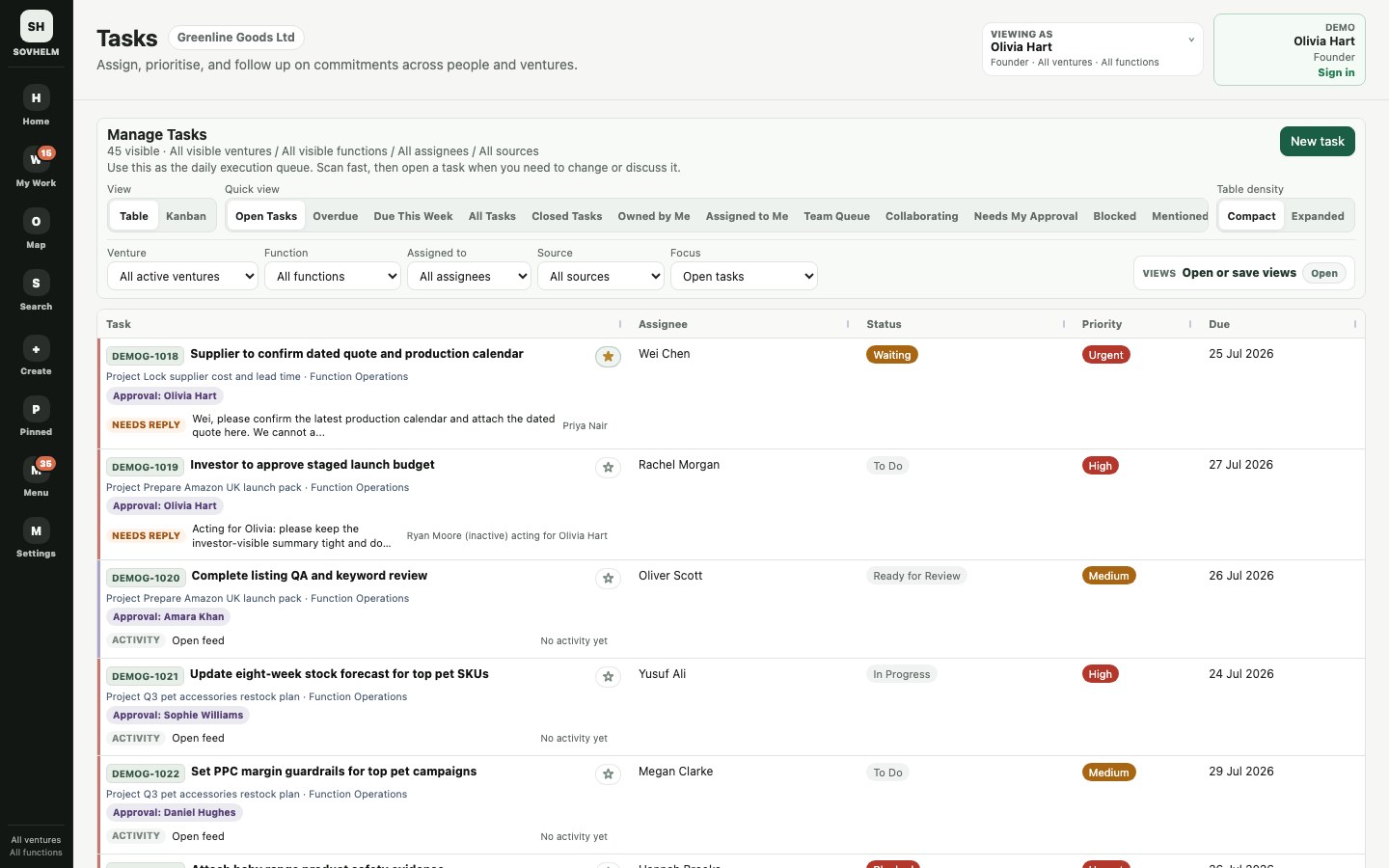
The demo task view keeps reference ID, project, function, assignee, execution state and deadline status together. Open a task to see its actions, discussion, attachments and linked work.
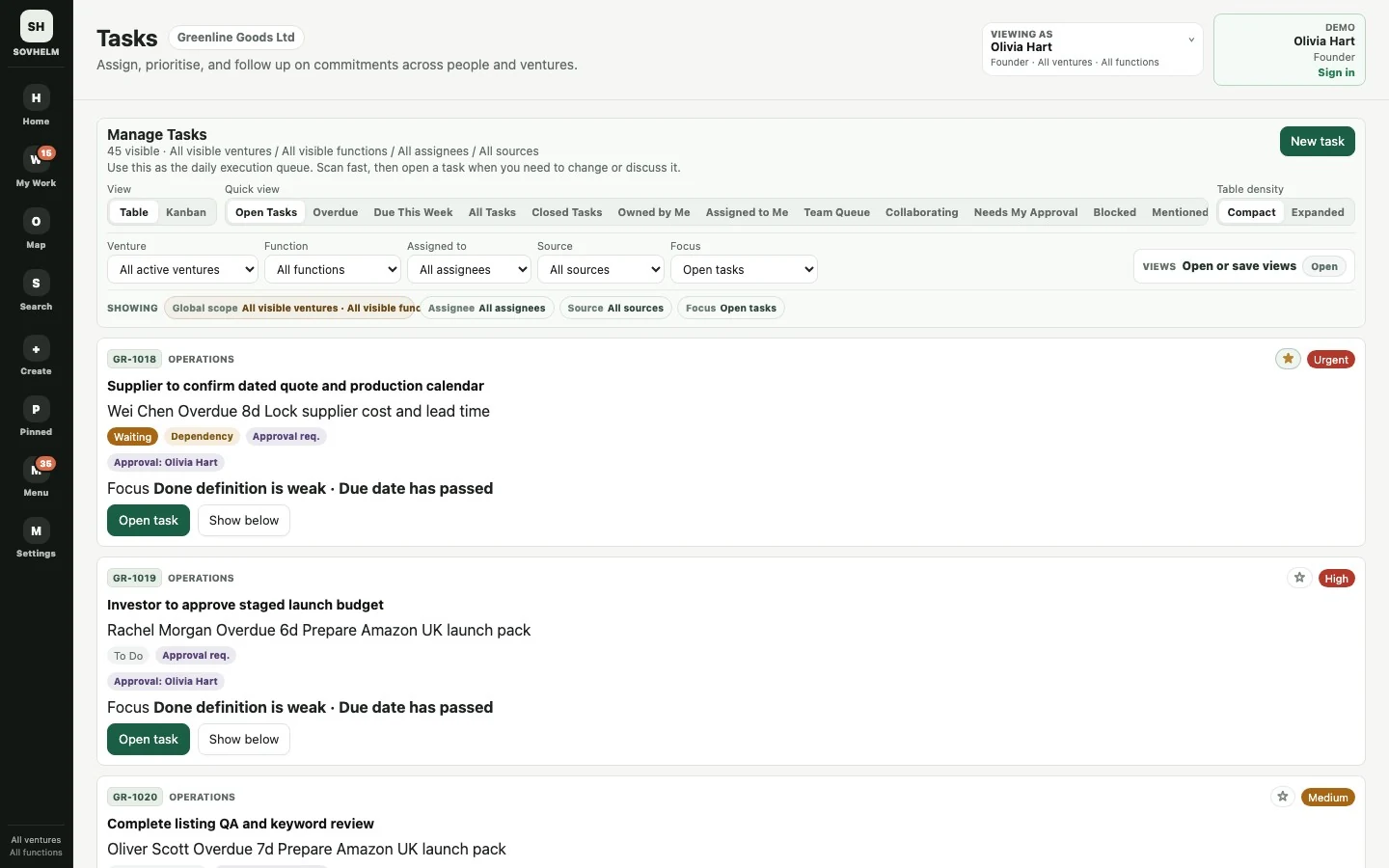
Use quick views and filters to move between all work, a single venture, a function, an assignee or work needing approval.
Open full-size screenshotTest a normal working day, not just an empty project board.
No. The structure follows companies, functions, people and work. Founder-led groups, family businesses and shared-service teams can use the same model; ecommerce and property are examples of operating contexts, not requirements.
My Plan holds the work a person has deliberately chosen, in their own order, with Parked items kept separately. Tasks and Projects retain the wider work; Alerts surface requests and meaningful changes. Adding work to My Plan does not change its deadline or who can act. Explore the daily workflow.
Start with the companies you need to coordinate: Founder covers one, Growth up to three and Portfolio up to ten. Compare GBP and USD monthly prices, then request a private review to confirm team access, file-storage requirements and ordering terms before committing.
Use the public demo now, or request a private walkthrough when you want to map your actual ventures, shared functions, people and access boundaries.
Practical guide: manage multiple businesses without mixing records. Use the checklist to review company context, responsibility, evidence and access.