See where you are needed.
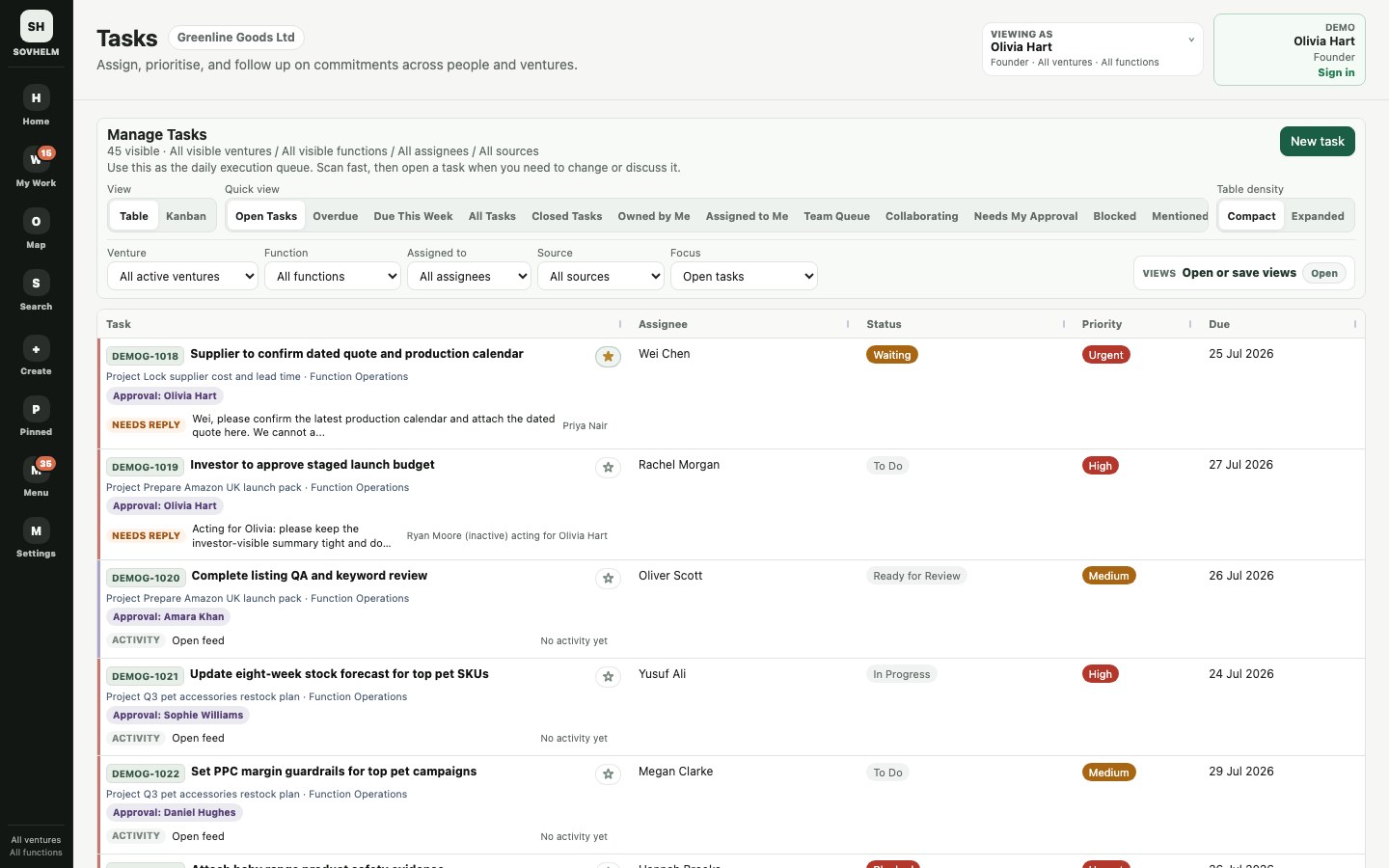
Review decisions, blockers and overdue work, then open the records behind the totals.
Explore LeadershipSOVHELM / Multi-company operations software
See what needs your attention across the group. Turn it into a clear daily plan, with the right company, owner and approval attached to every task.
No signup required. Explore with sample data, or take the guided route.
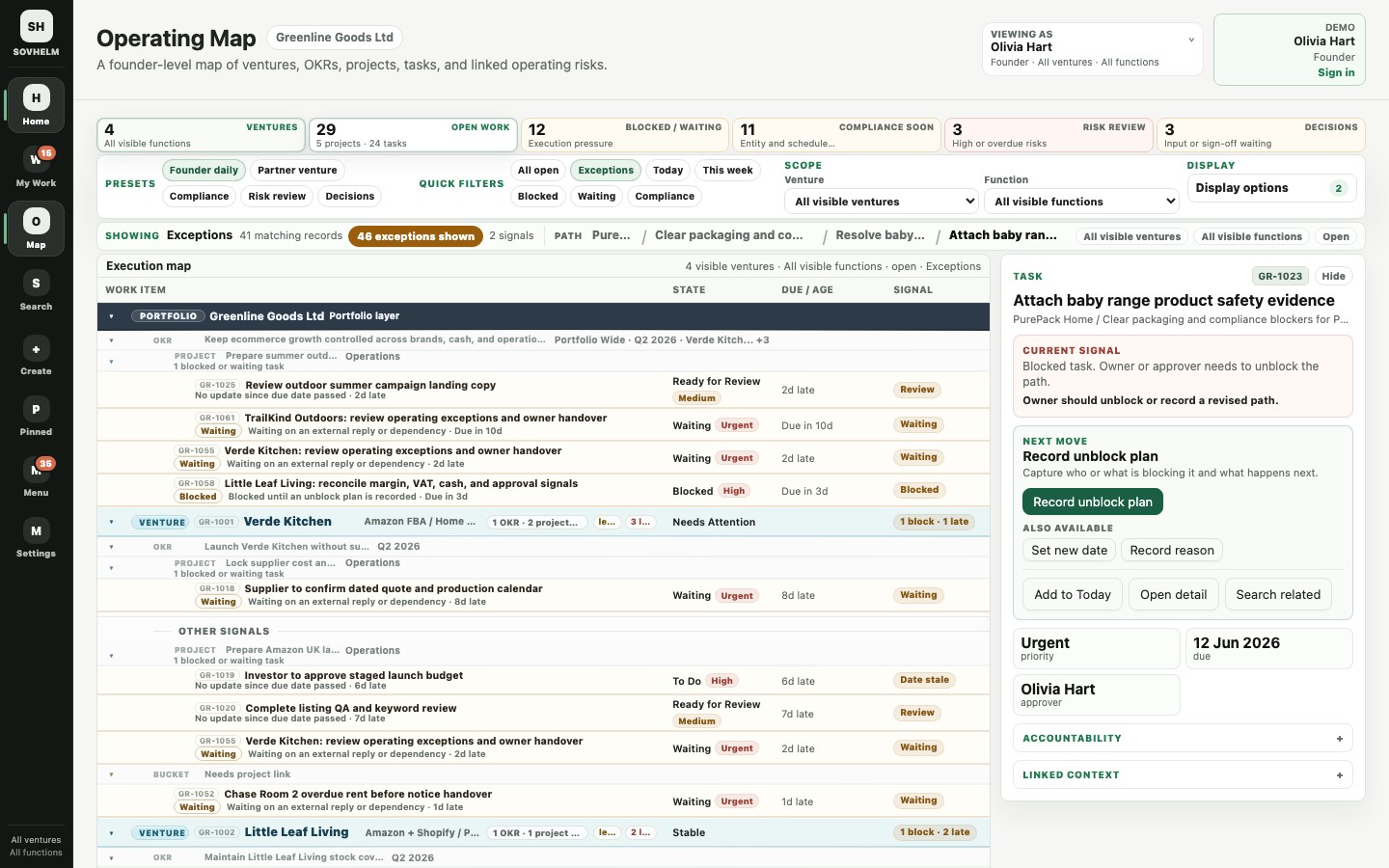
Work in business context
Project tools can track tasks. SOVHELM is organised around the companies, people and responsibilities behind them.
Which company is paying? Who approves it? Where is the invoice? A title alone cannot answer those questions.
Search, comments, notifications and audit history stay tied to this structure.
A task, date, comment or file enters the workspace.
Company, venture, function, legal entity and owner are attached.
Only the right roles can see, search, comment, approve or open files.
Decisions, evidence, audit history and next actions stay connected.
Record anatomy
A record is a task with its business context attached: company, owner, proof, deadline and permission boundary.
Before a supplier payment is approved, the reviewer can see which company is responsible, what evidence is attached and who requested the decision.
Product evidence
Move between tasks, company deadlines and your daily queue. These demo screenshots show the business context that stays with the work; explore the live demo for the latest interface.
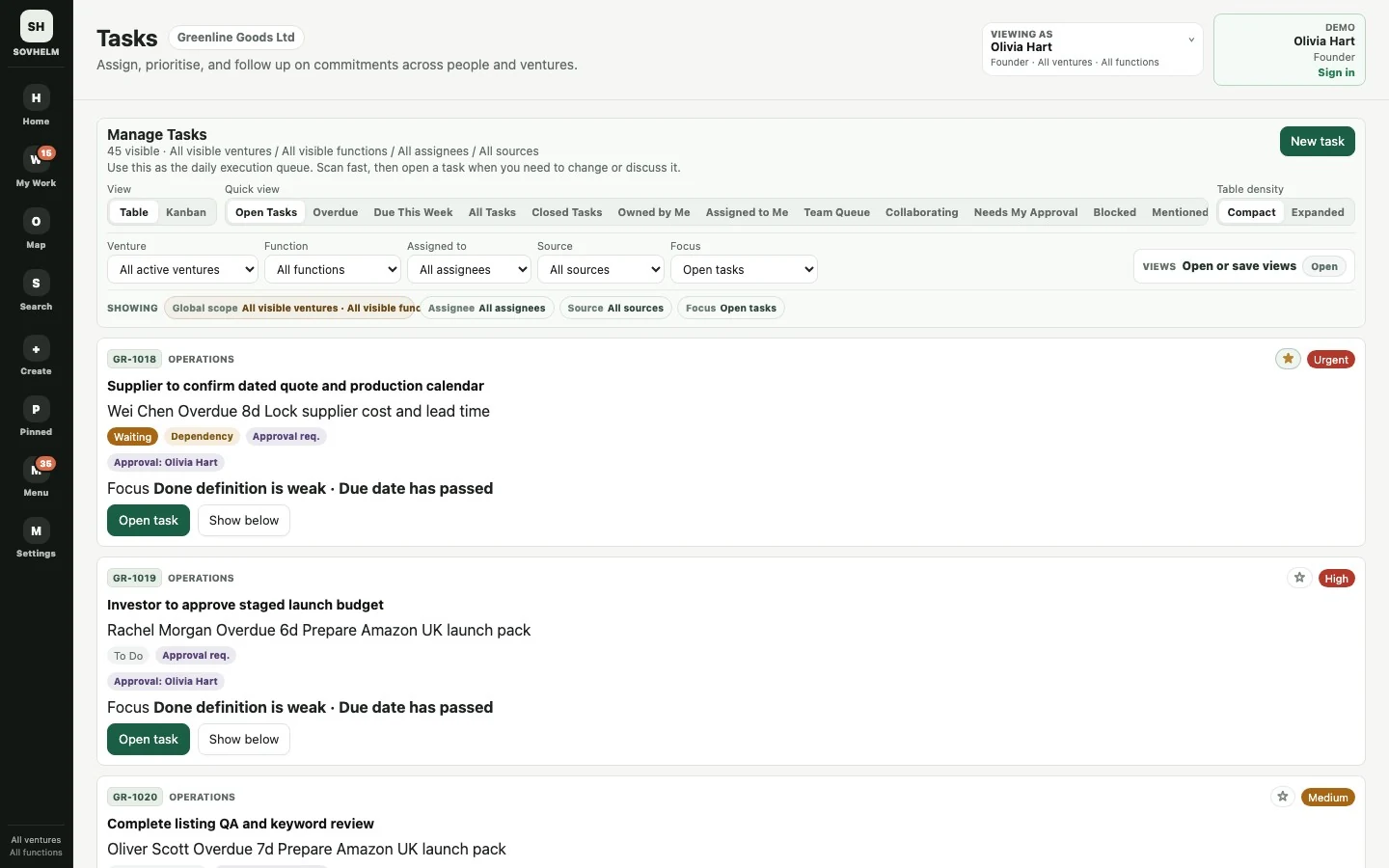
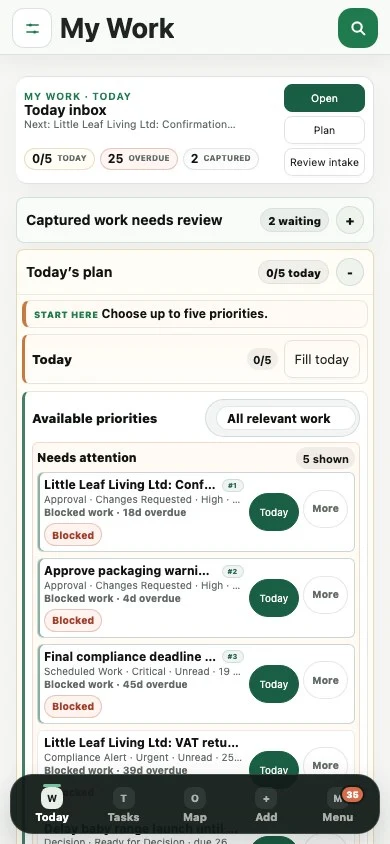
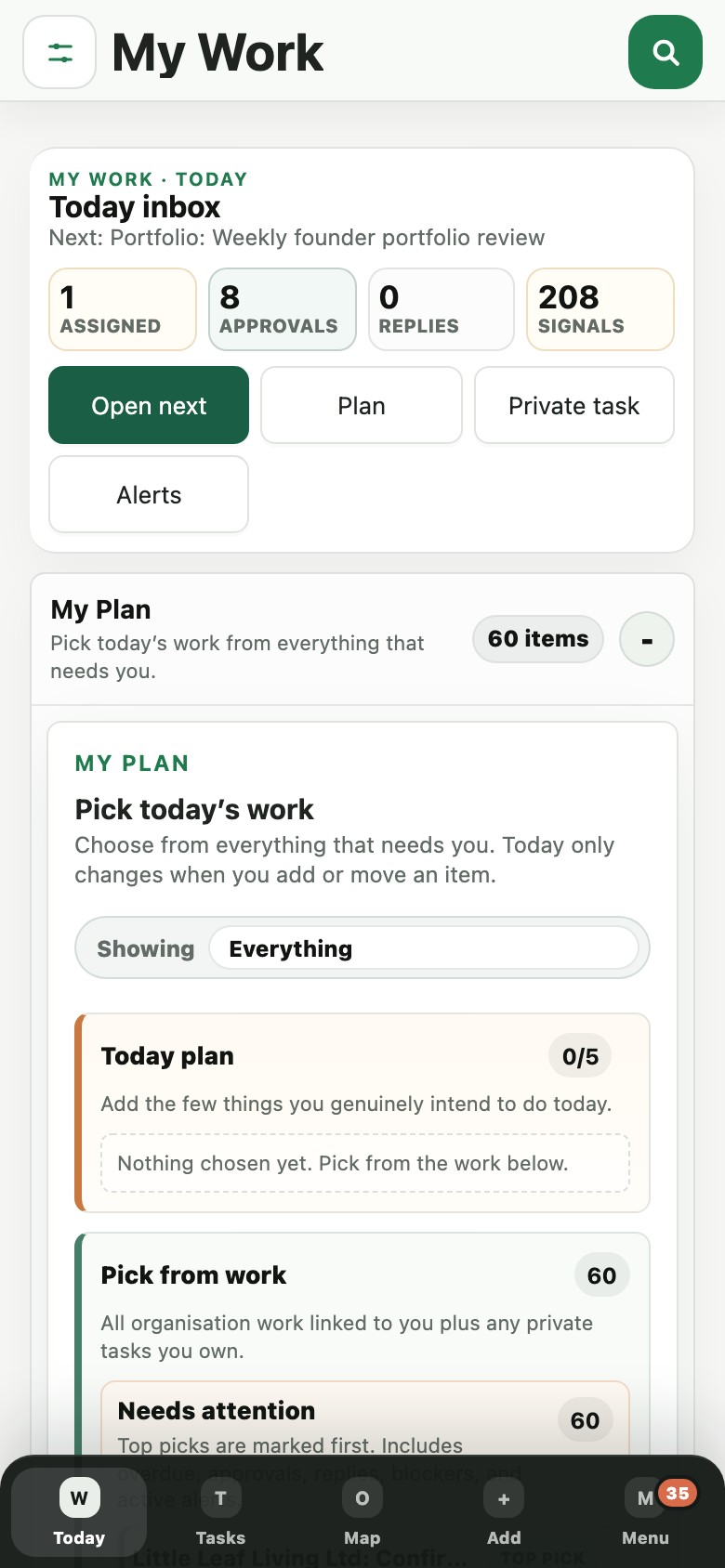
Use the responsive workspace on your phone to review priorities, open a task and follow up with the people involved.
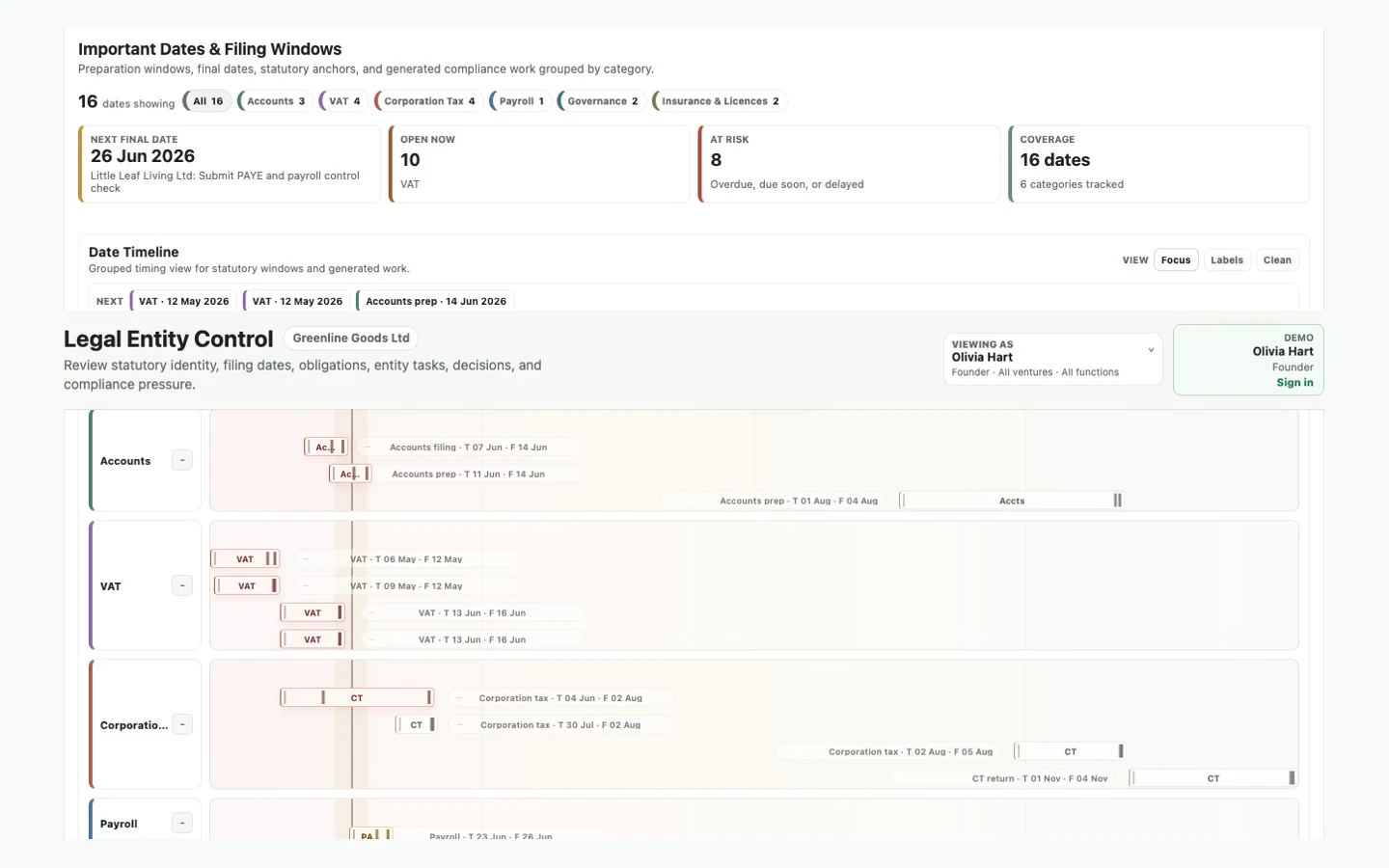
The same account and access rules apply on desktop and mobile. Open full-size screenshotDifferent company types can carry their own preparation windows, internal targets and final deadlines. Dates shown are illustrative, not filing advice.
Useful for: UK Ltd accounts and VAT, US LLC state filings, tax packs, insurance and other obligations. Open full-size screenshot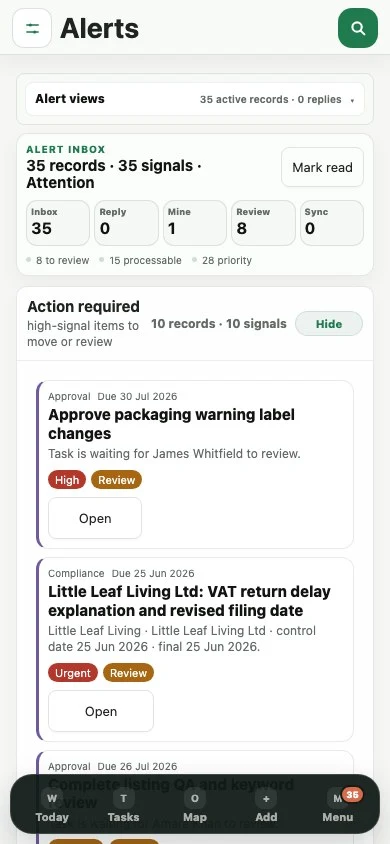
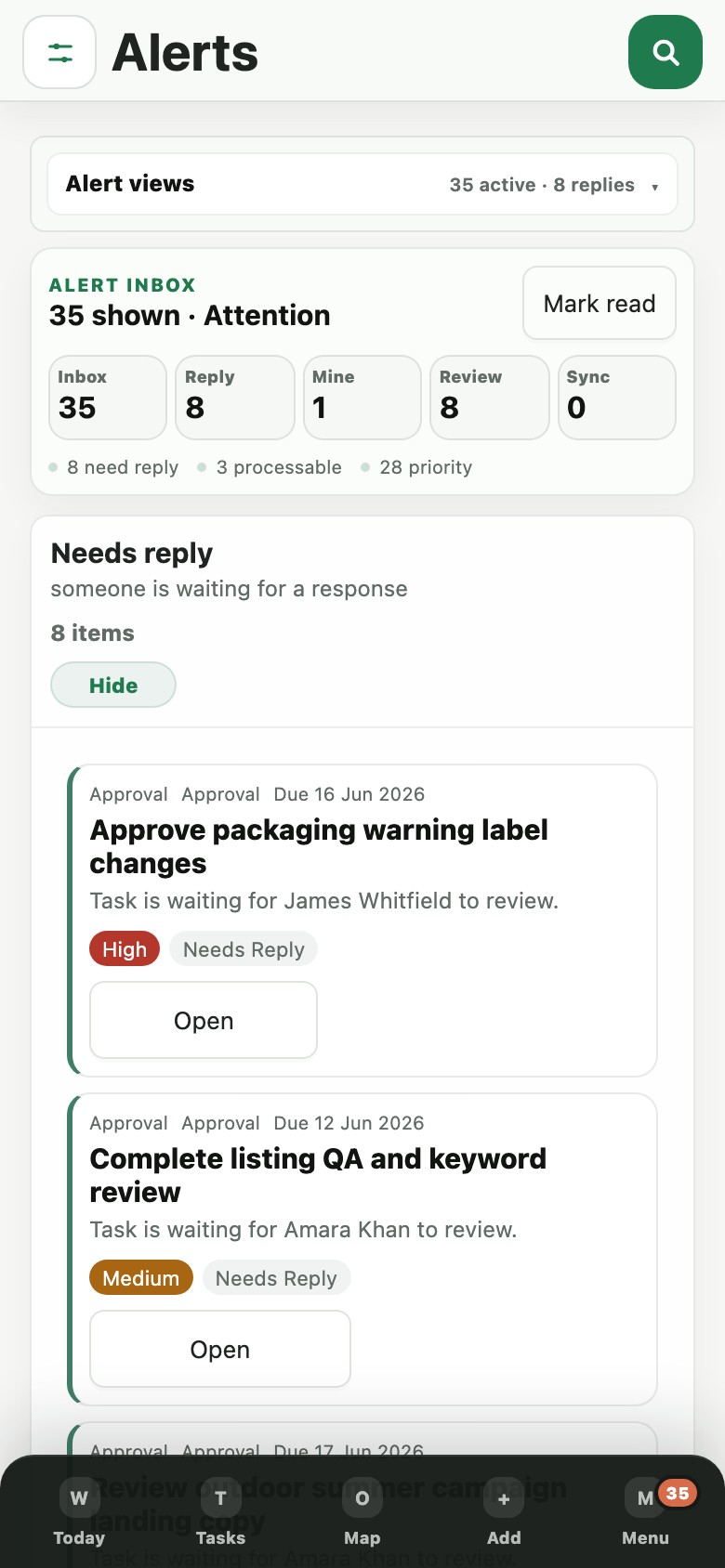
Mentions, approvals, blocked work, scheduled pressure and sync issues are grouped for mobile triage.
Useful for: checking what needs attention without exposing unrelated records. Open full-size screenshotOperating scenarios
SOVHELM is not limited to one sector. It is for teams where work crosses companies, people, approvals, evidence and visibility boundaries.
Start with the work that crosses teams: a shared finance function, an assistant's follow-up, a client deadline or an investor update. Ecommerce brands and property operators can use the same structure.
Keep the filing pack, responsible company and approver together, so the decision does not depend on another round of email.
Record path: entity date -> generated task -> approval -> audit historySOVHELM separates the founder's private context from the delegated action while preserving who actually acted and who they acted for.
Record path: founder note -> assistant action -> comment -> audit trailThe record holds the owner, decision needed, latest signal, deadline status and linked comments so the team does not manage the risk through scattered messages.
Record path: project -> risk -> task -> decision -> notificationSOVHELM can keep portfolio pressure visible while restricted records disappear from search, files, comments and approval actions.
Record path: portfolio summary -> linked task -> restricted evidence -> access decisionBuilt for sensitive work
When several companies share one workspace, SOVHELM keeps the daily operating view useful without making every record visible to every person.
Use this when investors, assistants, suppliers or different company teams need different views of the same operating workspace.
Founder view: visible, actionable, approvable and searchable.
Trust posture
Use the public demo without moving real records. When a live workspace is created, records, files, comments and search follow the same scoped access model.
Review security and data postureThe public demo is for product inspection. Real operating records belong in authenticated workspaces.
Set company, role and private-record permissions around the people involved in the work.
Delegated assistant actions preserve both the real actor and the on-behalf-of person.
Operational saves, comments, files and generated work are designed around a database-backed source of truth.
Pricing
One workspace, built around your companies.
Choose a plan and start a 30-day trial in your own private workspace. No sales call required.
Explore the product with sample data. No signup or payment details required.
For one operating company that needs controlled tasks, approvals, sensitive records and supporting files.
For a small group where finance, operations and compliance cross company lines but access must stay separated.
For portfolio-level control where delegated assistants, external visibility and multiple ventures need one governed place.
Need a larger team, substantial file storage or a custom agreement? Contact sales before ordering. Subscription terms apply.
UK VAT: VAT-exclusive business figures are for buyers who pay no VAT or can recover it. Totals include 20% UK VAT where applicable. Your applicable tax and total are confirmed before purchase using your billing details and any valid tax ID.
Before you open the demo
Use the public demo to inspect the product immediately. Request a private walkthrough when you want SOVHELM mapped to your own companies, people, recurring work and access boundaries.
Founder-led groups, holding companies, family business groups, service operators and investor-backed micro-portfolios that need work, approvals, legal dates and access control in one place. Ecommerce and property operators are common examples, not the only fit.
Yes. The responsive web workspace works on desktop and phone with the same account and permissions. Try your daily workflow in the demo and discuss any native-app requirements during your walkthrough.
Yes. The public demo uses separated sample records and role views. Live customer records only enter after a workspace is set up.
Open the public demo with sample data and no signup, or choose a monthly plan and start a 30-day trial in your own private workspace. Checkout collects payment details; billing begins after the trial unless you cancel beforehand. Your workspace access email is sent to the checkout email address. Existing customers keep their current login.
Choose by operating scale: Founder covers one company or venture, Growth up to three and Portfolio up to ten. Select GBP or USD, then use Start 30-day trial on your chosen plan. Monthly billing, applicable taxes and cancellation terms are shown at checkout. Contact sales before ordering if you need a larger team, substantial storage or a custom agreement.
Public demo
Pick one record, change the viewing role, follow its linked work and check whether the boundary still holds.